IndexedStack
一个可以展示指定位置子组件的组件栈
IndexedStack是一个非常有用的Widget,它允许在一组子Widget中根据索引显示特定的子Widget,同时保持所有子Widget的状态。与Stack类似,IndexedStack将子Widget堆叠在一起,但只显示由index属性指定的子Widget。
示例
import 'package:flutter/material.dart';
void main() {
runApp(MyApp());
}
class MyApp extends StatelessWidget {
Widget build(BuildContext context) {
return MaterialApp(
home: IndexedStackExample(),
);
}
}
class IndexedStackExample extends StatefulWidget {
_IndexedStackExampleState createState() => _IndexedStackExampleState();
}
class _IndexedStackExampleState extends State<IndexedStackExample> {
int _currentIndex = 0;
Widget build(BuildContext context) {
return Scaffold(
appBar: AppBar(
title: Text('IndexedStack 示例'),
),
body: Column(
children: [
// 按钮切换索引
Row(
mainAxisAlignment: MainAxisAlignment.center,
children: [
ElevatedButton(
onPressed: () {
setState(() {
_currentIndex = 0;
});
},
child: Text('页面 1'),
),
SizedBox(width: 10),
ElevatedButton(
onPressed: () {
setState(() {
_currentIndex = 1;
});
},
child: Text('页面 2'),
),
SizedBox(width: 10),
ElevatedButton(
onPressed: () {
setState(() {
_currentIndex = 2;
});
},
child: Text('页面 3'),
),
],
),
// IndexedStack 显示内容
Expanded(
child: IndexedStack(
index: _currentIndex,
children: [
// 页面 1
Container(
color: Colors.blue[100],
child: Center(
child: TextField(
decoration: InputDecoration(
hintText: '输入内容(页面 1)',
border: OutlineInputBorder(),
),
),
),
),
// 页面 2
Container(
color: Colors.green[100],
child: Center(
child: Text(
'这是页面 2',
style: TextStyle(fontSize: 24),
),
),
),
// 页面 3
Container(
color: Colors.red[100],
child: Center(
child: ListView.builder(
itemCount: 20,
itemBuilder: (context, index) {
return ListTile(
title: Text('列表项 $index'),
);
},
),
),
),
],
),
),
],
),
);
}
}
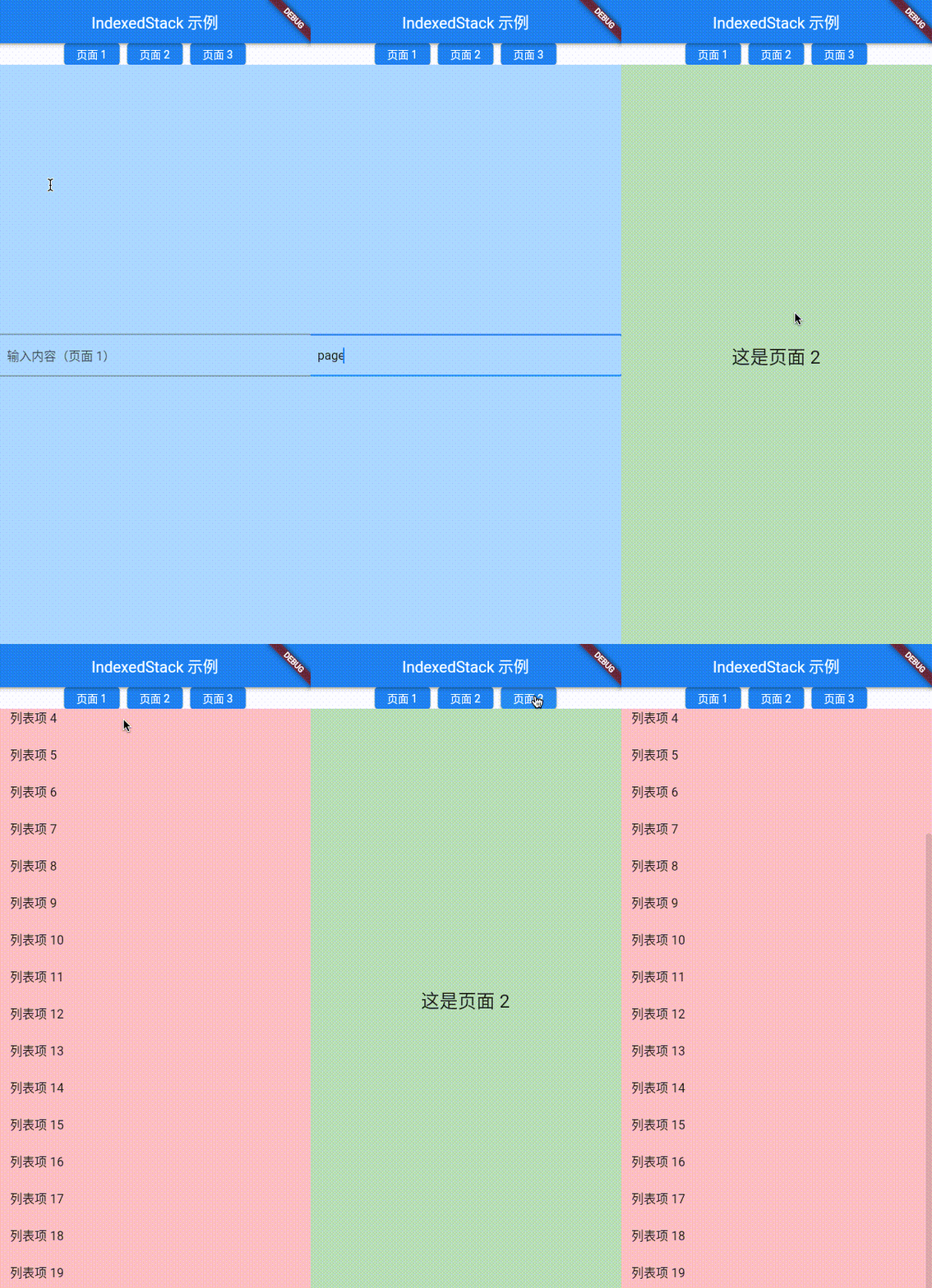
构造函数
IndexedStack.new({
  Key? key,
  AlignmentGeometry alignment = AlignmentDirectional.topStart,
  TextDirection? textDirection,
  Clip clipBehavior = Clip.hardEdge,
  StackFit sizing = StackFit.loose,
  int? index = 0,
  List<Widget> children = const <Widget>[]
})
属性
| 属性名 | 属性类型 | 说明 |
|---|---|---|
| alignment | AlignmentGeometry | 子Widget的对齐方式 |
| children | List<Widget> | 子组件列表 |
| clipBehavior | Clip | 根据配置裁剪内容 |
| index | int? | 当前展示的子组件的index |
| sizing | StackFit | 控制子Widget的大小 |
| textDirection | TextDirection? | 文本内容排列方向 |
额外说明 sizing:
StackFit.loose默认值,子Widget按照其自然大小布局,不会被强制拉伸或压缩StackFit.expand子Widget被强制扩展到占用Stack提供的最大可用空间StackFit.passthrough子Widget直接继承Stack的父容器传递的约束,不对其大小做额外调整