CupertinoActionSheetAction
在不通过修改布局、大小或位置的情况下,对子组件施加虚拟效果的组件
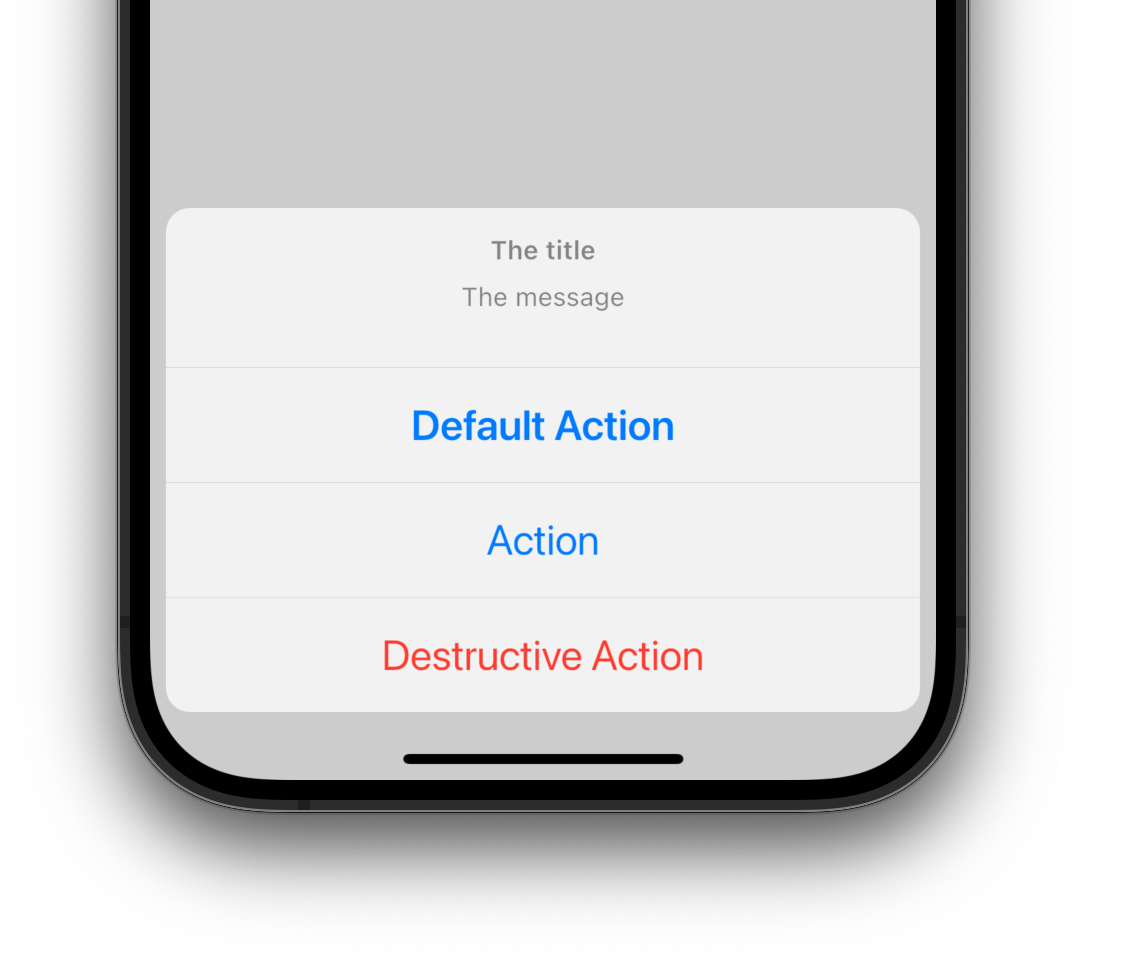
CupertinoActionSheetAction是Flutter中用于构建iOS风格操作表(Action Sheet)的交互式按钮组件。它通常作为CupertinoActionSheet的子项出现,提供一种模态化的选择界面,适用于需要用户确认或从多个选项中
选择的场景。该组件遵循苹果的Human Interface Guidelines,具有圆角设计和流畅的动画效果,确保在iOS设备上呈现原生体验。
使用场景
- 在用户执行敏感操作(如删除内容)前弹出确认对话框。
- 提供多个选项供用户选择(例如分享到不同平台)。
- 替代传统对话框,以更符合iOS设计语言的方式展示操作。
示例
基础确认操作表
CupertinoActionSheet(
  title: Text("确认删除"),
  message: Text("删除后内容将无法恢复"),
  actions: [
    CupertinoActionSheetAction(
      onPressed: () {
        // 执行删除逻辑
        Navigator.pop(context);
      },
      isDefaultAction: true, // 强调样式(红色文字)
      child: Text("删除"),
    ),
  ],
  cancelButton: CupertinoActionSheetAction(
    onPressed: () => Navigator.pop(context),
    isDestructiveAction: false,
    child: Text("取消"),
  ),
);
多选项分享表
CupertinoActionSheet(
  title: Text("分享到"),
  actions: [
    CupertinoActionSheetAction(
      onPressed: () => _shareToPlatform("微信"),
      child: Text("微信"),
    ),
    CupertinoActionSheetAction(
      onPressed: () => _shareToPlatform("微博"),
      child: Text("微博"),
    ),
  ],
  cancelButton: CupertinoActionSheetAction(
    onPressed: () => Navigator.pop(context),
    child: Text("取消"),
  ),
);
动态禁用选项
CupertinoActionSheetAction(
  onPressed: isEnabled ? () {
    // 仅当条件满足时执行
    Navigator.pop(context);
  } : null, // 设置为null时自动禁用
  child: Text(isEnabled ? "确认" : "不可用"),
);
注意点
- 性能优化: 避免在
onPressed回调中执行耗时操作(如网络请求),应先关闭操作表再处理逻辑。 - 兼容性警告: 在非iOS平台使用时需测试样式适配,可通过
CupertinoTheme统一设计语言。 - 最佳实践:
- 重要操作(如删除)使用
isDestructiveAction: true高亮显示。- 通过
isDefaultAction标记默认选项(加粗样式)。
- 通过
- 始终提供“取消”按钮并置于底部,符合iOS用户习惯。
- 重要操作(如删除)使用
构造函数
const CupertinoActionSheetAction({
  Key? key,
  required this.onPressed, // 点击回调函数
  this.isDefaultAction = false, // 是否为默认选项
  this.isDestructiveAction = false, // 是否为破坏性操作
  required this.child, // 按钮内容(通常为Text组件)
})
属性
| 属性名 | 属性类型 | 说明 |
|---|---|---|
onPressed | VoidCallback? | 点击回调函数,为null时按钮禁用 |
isDefaultAction | bool | 是否作为默认选项(文字加粗) |
isDestructiveAction | bool | 是否为破坏性操作(红色文字提示风险) |
child | Widget | 按钮内容组件,如Text或Icon |
关键属性详解
isDestructiveAction: 设置为true时文字变为红色,用于删除、退出等高风险操作,需谨慎使用。onPressed: 此属性直接影响交互状态,若需动态禁用按钮,可通过条件判断赋值为null。