Navigation rail
用于在宽屏布局中提供垂直导航功能
NavigationRail是Flutter提供的用于实现Material Design导航轨的组件,其主要用途是在宽屏布局中提供垂直导航功能。它通常放置在屏幕左侧或右侧,通过图标和标签展示导航项,并支持选中状态的高亮显示。核心逻辑包括:
- 导航管理: 通过
selectedIndex属性跟踪当前选中的项,结合onDestinationSelected回调处理导航切换。 - 自适应设计: 可根据屏幕大小或用户交互(如展开/折叠标签)动态调整外观,适合响应式布局。
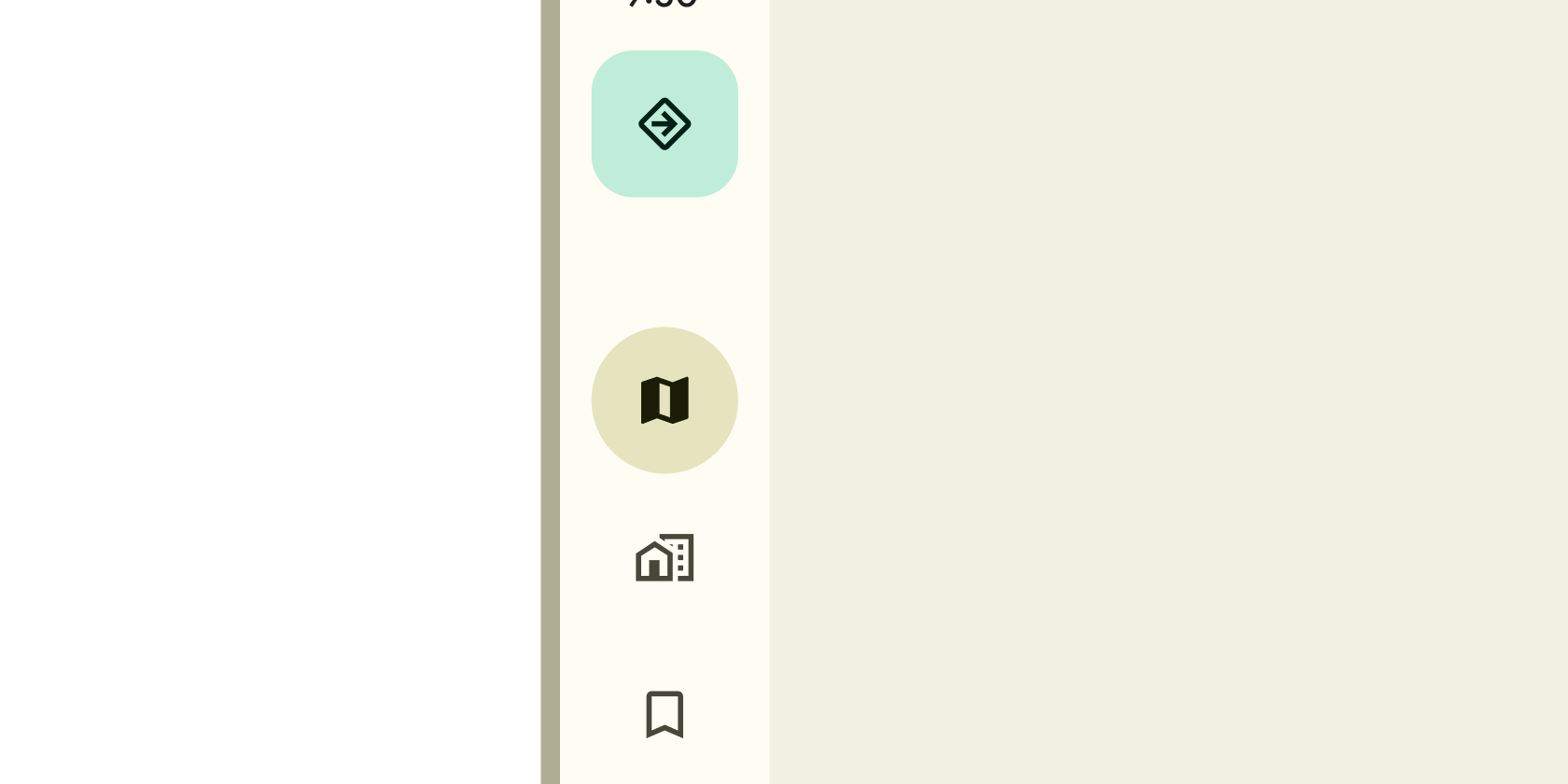
使用场景
- 平板和桌面应用: 作为主导航栏,替代底部导航栏(
BottomNavigationBar)。 - 主从布局(
Master-Detail): 在左侧显示导航项,右侧展示对应内容。 - 折叠模式: 在小宽度下隐藏标签,仅显示图标以节省空间。
示例
基础导航轨
import 'package:flutter/material.dart';
class BasicNavigationRailExample extends StatelessWidget {
const BasicNavigationRailExample({super.key});
Widget build(BuildContext context) {
return Scaffold(
body: Row(
children: [
// 导航轨部分
NavigationRail(
destinations: const [
NavigationRailDestination(
icon: Icon(Icons.home),
label: Text('首页'),
),
NavigationRailDestination(
icon: Icon(Icons.settings),
label: Text('设置'),
),
],
selectedIndex: 0, // 默认选中第一项
),
// 右侧内容区域
const Expanded(
child: Center(child: Text('首页内容')),
),
],
),
);
}
}
交互式导航
import 'package:flutter/material.dart';
class InteractiveNavigationRailExample extends StatefulWidget {
const InteractiveNavigationRailExample({super.key});
State<InteractiveNavigationRailExample> createState() =>
_InteractiveNavigationRailExampleState();
}
class _InteractiveNavigationRailExampleState
extends State<InteractiveNavigationRailExample> {
int _selectedIndex = 0;
// 导航项对应的内容页面
final List<Widget> _pages = [
const Center(child: Text('首页内容')),
const Center(child: Text('设置内容')),
];
Widget build(BuildContext context) {
return Scaffold(
body: Row(
children: [
NavigationRail(
destinations: const [
NavigationRailDestination(
icon: Icon(Icons.home),
label: Text('首页'),
),
NavigationRailDestination(
icon: Icon(Icons.settings),
label: Text('设置'),
),
],
selectedIndex: _selectedIndex,
onDestinationSelected: (index) {
setState(() {
_selectedIndex = index;
});
},
),
Expanded(child: _pages[_selectedIndex]),
],
),
);
}
}
自适应主题和折叠模式
import 'package:flutter/material.dart';
class AdaptiveNavigationRailExample extends StatefulWidget {
const AdaptiveNavigationRailExample({super.key});
State<AdaptiveNavigationRailExample> createState() =>
_AdaptiveNavigationRailExampleState();
}
class _AdaptiveNavigationRailExampleState
extends State<AdaptiveNavigationRailExample> {
int _selectedIndex = 0;
bool _isExtended = true; // 控制标签是否展开
Widget build(BuildContext context) {
return Scaffold(
appBar: AppBar(
title: const Text('自适应导航轨'),
actions: [
// 通过按钮切换展开/折叠状态
IconButton(
icon: Icon(_isExtended ? Icons.arrow_back : Icons.arrow_forward),
onPressed: () {
setState(() {
_isExtended = !_isExtended;
});
},
),
],
),
body: Row(
children: [
NavigationRail(
extended: _isExtended, // 控制标签显示
destinations: const [
NavigationRailDestination(
icon: Icon(Icons.home),
label: Text('首页'),
),
NavigationRailDestination(
icon: Icon(Icons.settings),
label: Text('设置'),
),
],
selectedIndex: _selectedIndex,
onDestinationSelected: (index) => setState(() => _selectedIndex = index),
),
const VerticalDivider(thickness: 1, width: 1),
const Expanded(child: Center(child: Text('内容区域'))),
],
),
);
}
}
注意点
常见问题与性能瓶颈
- 状态管理: 若在复杂应用中未正确管理
selectedIndex,可能导致导航状态不一致。建议使用状态管理工具(如Provider或Riverpod)。 - 过度重建: 避免在
onDestinationSelected回调中执行重计算操作,以免界面卡顿。 - 兼容性警告:
NavigationRail主要针对宽屏设计,在手机上可能空间不足,需结合LayoutBuilder或MediaQuery动态切换为底部导航栏。
优化技巧
- 标签折叠:通过
extended属性在窄宽度下隐藏标签,提升空间利用率。 - 分组导航:使用
NavigationRailDestination的padding属性对项进行视觉分组。 - 主题适配:通过
NavigationRailTheme全局统一样式,避免重复代码。
最佳实践
- 始终提供标签(即使折叠)以保障无障碍访问。
- 在桌面端结合鼠标悬停效果(如
HoverButton)增强交互体验。 - 测试时验证不同屏幕尺寸下的布局适应性。
构造函数
const NavigationRail({
  Key? key,
  required this.destinations,           // 必选:导航项列表
  this.selectedIndex,                   // 当前选中项的索引
  this.onDestinationSelected,           // 导航项选中回调
  this.labelType,                       // 标签显示类型(如仅选中时显示)
  this.extended = false,                // 是否展开标签
  this.backgroundColor,                 // 背景色
  this.elevation,                       // 阴影深度
  this.trailing,                        // 导航轨底部可选组件
  this.leading,                         // 导航轨顶部可选组件
  this.groupAlignment = -1.0,           // 导航项组对齐方式
  this.indicatorColor,                  // 选中指示器颜色
  this.indicatorShape,                  // 指示器形状
  this.minWidth,                        // 最小宽度
  this.minExtendedWidth,                // 展开模式下的最小宽度
  this.useIndicator = false,            // 是否显示选中指示器
  this.onDestinationSelectedWithDetails,// 带详细信息的回调(如鼠标事件)
})
属性
| 属性名 | 属性类型 | 说明 |
|---|---|---|
destinations | List<NavigationRailDestination> | 必选。定义导航项的列表(图标和标签)。 |
selectedIndex | int? | 当前选中导航项的索引(从 0 开始)。未设置时无选中项。 |
onDestinationSelected | ValueChanged<int>? | 当用户选择导航项时触发的回调,返回选中索引。 |
labelType | NavigationRailLabelType? | 控制标签的显示方式(如 all 全部显示、selected 仅选中项显示)。 |
extended | bool | 为 true 时展开显示标签,为 false 时仅显示图标(默认)。 |
backgroundColor | Color? | 导航轨的背景颜色,默认为主题背景色。 |
elevation | double? | 阴影深度,用于添加立体效果。 |
trailing | Widget? | 放置在导航项列表底部的可选组件(如用户头像)。 |
leading | Widget? | 放置在导航项列表顶部的可选组件(如应用标题)。 |
groupAlignment | double | 导航项组的垂直对齐方式(-1.0 到 1.0,默认 -1.0 顶部对齐)。 |
indicatorColor | Color? | 选中项指示器的颜色。 |
indicatorShape | ShapeBorder? | 指示器的形状(如圆角矩形)。 |
minWidth | double? | 导航轨的最小宽度(未展开时)。 |
minExtendedWidth | double? | 展开模式下的最小宽度。 |
useIndicator | bool | 是否显示选中项指示器(默认 false)。 |
onDestinationSelectedWithDetails | Function(int, Offset)? | 增强版回调,提供选中索引和交互位置(如鼠标点击坐标)。 |
关键属性解释
destinations: 必须通过NavigationRailDestination定义每个导航项,这是组件的核心内容源。extended: 此属性直接影响布局空间。在响应式设计中,建议通过LayoutBuilder监听宽度动态切换extended值。useIndicator: 设置为true时,会为选中项添加视觉高亮块(如侧边条),显著提升用户体验,但可能增加渲染开销。minWidth与minExtendedWidth: 用于约束导航轨的宽度范围,避免在极端屏幕尺寸下布局错乱。