AspectRatio
一个尝试将子组件调整到特定宽高比的组件
AspectRatio代表了宽度和高度的比例。AspectRatio使用一种有限次的迭代过程来计算子组件的合适约束,然后仅用这些约束对子组件进行一次布局。该迭代过程非常高效,不需要多次布局传递。
AspectRatio首先尝试使用布局约束所允许的最大宽度,并根据给定的宽高比计算组件的高度。如果最大宽度为无限大,则初始宽度改为根据最大高度按宽高比计算。- 其次检查计算出的尺寸是否与父级约束相容,如果不相容,则再次重新计算尺寸,并将这些约束纳入考虑。
- 若组件在逐一检查所有约束后仍未找到可行的尺寸,最终将选择一个满足布局约束但不符合宽高比约束的尺寸作为子组件的尺寸。
示例
示例1
import 'package:flutter/material.dart';
/// Flutter code sample for [AspectRatio].
void main() => runApp(const AspectRatioApp());
class AspectRatioApp extends StatelessWidget {
const AspectRatioApp({super.key});
Widget build(BuildContext context) {
return MaterialApp(
home: Scaffold(
appBar: AppBar(title: const Text('AspectRatio Sample')),
body: const AspectRatioExample(),
),
);
}
}
class AspectRatioExample extends StatelessWidget {
const AspectRatioExample({super.key});
Widget build(BuildContext context) {
return Container(
color: Colors.blue,
alignment: Alignment.center,
width: double.infinity,
height: 100.0,
child: AspectRatio(
aspectRatio: 16 / 9,
child: Container(color: Colors.green),
),
);
}
}
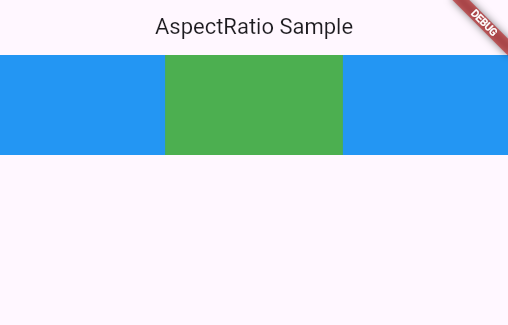
这个例子展示了当父级的宽度约束为无限时,AspectRatio如何设置自身的宽度。由于父级允许的高度是个固定值,因此实际宽度由给定的aspectRatio决定。高度固定为100,宽高比为16/9,因此宽度为 100/9*16。
示例2
import 'package:flutter/material.dart';
/// Flutter code sample for [AspectRatio].
void main() => runApp(const AspectRatioApp());
class AspectRatioApp extends StatelessWidget {
const AspectRatioApp({super.key});
Widget build(BuildContext context) {
return MaterialApp(
home: Scaffold(
appBar: AppBar(title: const Text('AspectRatio Sample')),
body: const AspectRatioExample(),
),
);
}
}
class AspectRatioExample extends StatelessWidget {
const AspectRatioExample({super.key});
Widget build(BuildContext context) {
return Container(
color: Colors.blue,
alignment: Alignment.center,
width: 100.0,
height: 100.0,
child: AspectRatio(
aspectRatio: 2.0,
child: Container(width: 100.0, height: 50.0, color: Colors.green),
),
);
}
}
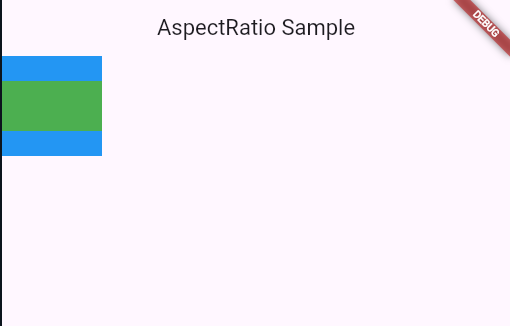
这个例子中的宽高比为2,布局约束要求子组件宽高在0到100之间,那么按照宽高比,则宽为100,高为50。
示例3
import 'package:flutter/material.dart';
/// Flutter code sample for [AspectRatio].
void main() => runApp(const AspectRatioApp());
class AspectRatioApp extends StatelessWidget {
const AspectRatioApp({super.key});
Widget build(BuildContext context) {
return MaterialApp(
home: Scaffold(
appBar: AppBar(title: const Text('AspectRatio Sample')),
body: const AspectRatioExample(),
),
);
}
}
class AspectRatioExample extends StatelessWidget {
const AspectRatioExample({super.key});
Widget build(BuildContext context) {
return Container(
color: Colors.blue,
alignment: Alignment.center,
width: 100.0,
height: 100.0,
child: AspectRatio(
aspectRatio: 0.5,
child: Container(width: 100.0, height: 50.0, color: Colors.green),
),
);
}
}
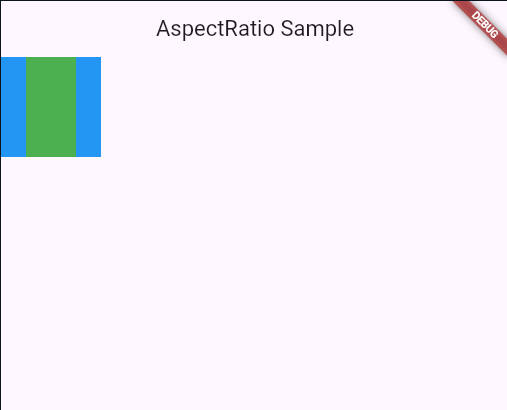
这个示例与示例2类似,但这里宽高比设置为0.5。按照父组件宽高约束,宽度选择为100,那么按照宽高比,高度应该为200,但是根据约束高度不能得到200,子组件最多只能得到100高度。于是按照比例宽度只能为50,最终子组件得到了50的宽度和100的高度。
在无约束条件下设置宽高比
当使用诸如FittedBox这类组件时,约束是无界的。这会导致AspectRatio无法找到合适的约束来应用。在这种情况下,建议改用SizedBox显式设置大小,而不是使用AspectRatio设置宽高比,随后FittedBox会按比例缩放该尺寸。
构造函数
AspectRatio.new({
  Key? key,
  required double aspectRatio,
  Widget? child
})
属性
| 属性名 | 属性类型 | 说明 |
|---|---|---|
| aspectRatio | double | 宽高比 |
| child | Widget? | 子组件 |